Your community's virtual space, right inside Discord
Walk up to people to talk, gather in themed rooms, and turn your server into a place members actually want to hang out. Gaming communities, social clubs, school groups, all without leaving the app they already live in.
Your whole server, together in one space
Featured on


Presence that feels like being there
Everything you loved about a spatial hangout, rebuilt to live where your community already is.
Shove
Bump into someone and shove their avatar across the room — the kind of goofy, physical moment chat channels never let you have.
Custom avatars
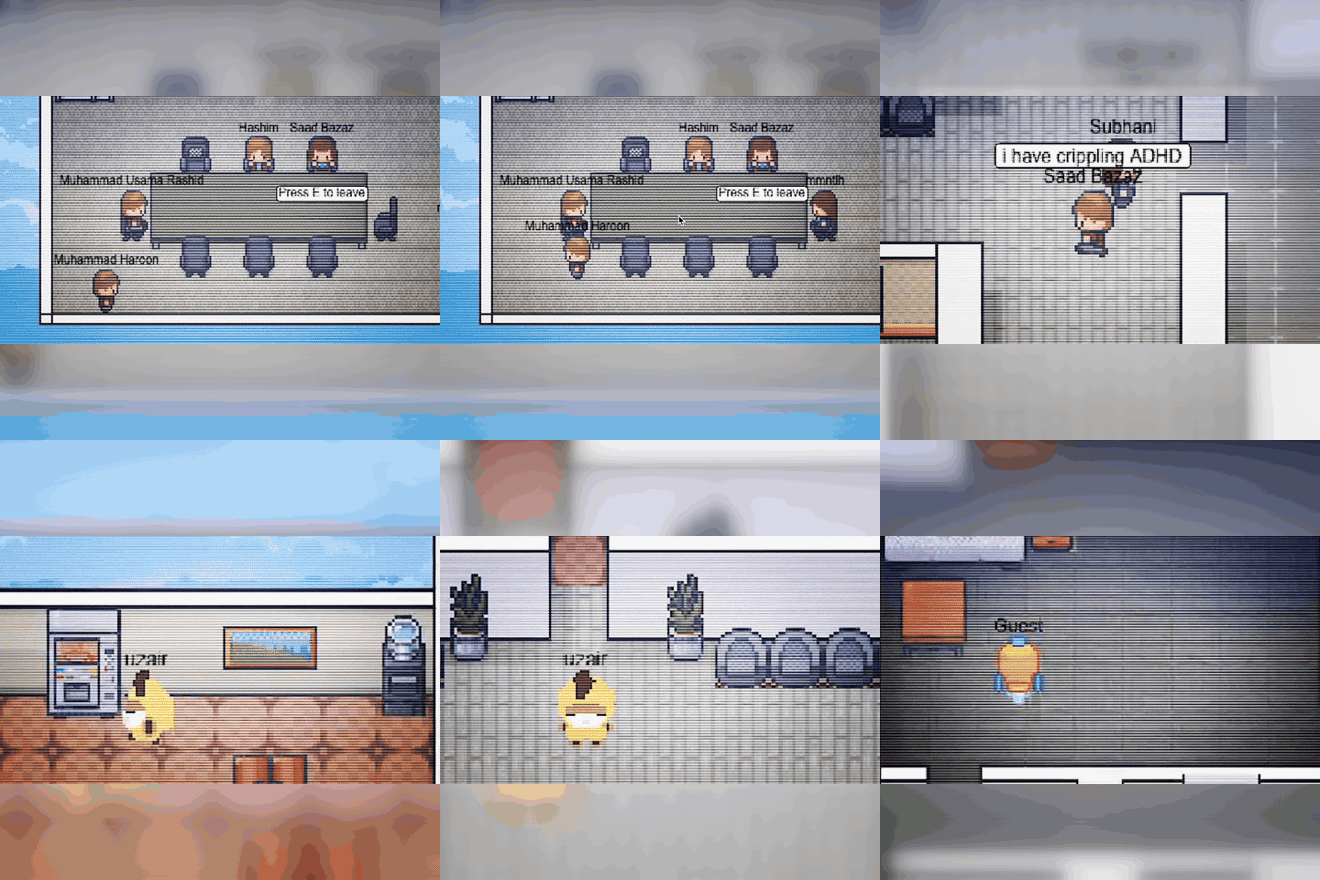
Pick a character and move through the space. Presence you can see means fewer “are you there?” pings.
Themed rooms
Lounges, game corners, stages, quiet desks. Build a floor plan that matches how your community actually hangs out.
Discord-native
Runs as a Discord Activity with your existing roles, channels, and members. Nothing new to download.
Real-time multiplayer
Everyone moves and reacts live on a low-latency game server. It feels immediate, not laggy.
Chat & emojis
Messages you send in Disjoint sync straight to your Discord channels, and quick emoji reactions let you respond in the moment.
Up and running in under a minute
Add Disjoint to your server
One click authorizes the Discord Activity. No accounts to create, no software to install for your members.
Open the activity
Launch Disjoint from any voice channel. Everyone drops into your shared space as a movable avatar.
Walk around and connect
Move toward people to start talking, wander into rooms, and let spontaneous conversations happen again.
The spatial hangout experience, without leaving Discord
Standalone virtual spaces mean another app, another login, another bill. Disjoint brings the same magic to the community you already have.
One space, every kind of community
Gaming communities
Give your server a place to actually hang out between matches. Shared 2D movement and visual presence make big communities feel personal again.
Social clubs & schools
Clubs, study groups, and class servers get a shared space to gather, wander, and talk — not just another wall of text channels.
Events & meetups
Run game nights, study halls, and demo days with stages and breakout rooms your members already know how to join.
Get your community custom map for free!
Join our Discord Server to request for a map!
Frequently asked questions
Disjoint is a spatial virtual space that runs inside Discord as a Discord Activity. Your members walk around a shared 2D world as avatars, drift between themed rooms, and talk to the people near them — making your server feel like a real place instead of a list of channels.
Yes, Disjoint is free to add and use. There is no separate subscription, and your members never need to pay to join the space.
Install Disjoint with one click from the Discord authorization link on this page, then launch it from any voice channel. Setup takes under a minute and members join by opening the activity — no signup required.
Disjoint lives inside Discord instead of being a separate app. Members keep their existing Discord accounts, roles, and channels, chat syncs back to your server, and nobody has to install software, create a new login, or pay for another subscription.
No. Disjoint runs as a Discord Activity, so anyone already in your server can join the space directly from a voice channel with zero downloads.
Yes. Disjoint uses your server’s existing roles and members, and messages sent inside Disjoint sync straight to your Discord channels.
Gaming communities use Disjoint as a hangout between matches, clubs and school servers use it as a shared study or social space, and organizers run events like game nights, study halls, and demo days with stages and breakout rooms.